
disc.http 0
Rated 0 out of 0 reviews0 upvotes in the month of September
Add disc.http Upvote disc.http Review disc.http
This is an HTTP-only bot and will not show as online
disc.http example
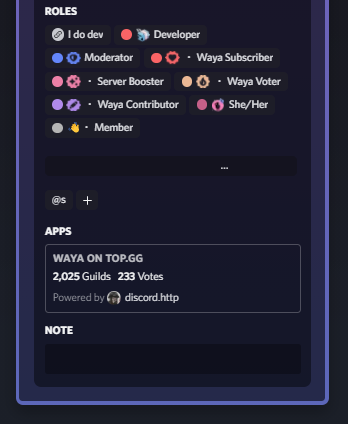
How to setup disc.http linked role
Note that this is a one-time setup
- Invite the bot to your Discord server.
- Go to your server’s role settings and create a new role with any name you prefer.
- Click on the “Links” option, then click on “Add requirement” and select “discord.http” from the list.
- Save all the changes and leave the settings.
- 🎉 Done with setup!
Connect to your profile
Note that every user has to follow this
- Click on the server name.
- Click on “Linked Roles”.
- Click on the tab with the same name as the role you created earlier.
- Go through the oAuth2 process.
- Once done, the stats of the biggest bot they own will be displayed on their profile.
⚠️ Note: Your bot has to be submitted on a supported bot listing site
Tags
Information
Short description: Show off the awesome bot that you and your users own on your profile! Let everyone know what you're made of!
Prefix: /
Servers: 0
Shards: Unknown
Library: Other